
SEO indexing ensures your website appears in search results by helping search engines find, analyze, and store your pages. Without proper indexing, your content remains invisible, leading to zero organic traffic. This guide outlines 10 practical steps to improve your site's indexing and visibility:
- Ensure Crawlability: Fix blocked pages, broken links, and server errors. Review your robots.txt file and resolve crawling issues using tools like Google Search Console.
- Submit an XML Sitemap: Create a sitemap listing key pages and submit it to Google Search Console and Bing Webmaster Tools for faster indexing.
- Set Up Search Console: Use Google Search Console and Bing Webmaster Tools to monitor crawling, indexing, and SEO performance.
- Optimize Metadata: Write clear, keyword-rich meta titles and descriptions to improve click-through rates and help search engines understand your content.
- Use Canonical Tags: Prevent duplicate content issues by marking primary URLs with canonical tags.
- Leverage Automation: Tools like IndexMachine automate URL submissions, speeding up indexing and reducing manual effort.
- Monitor Index Coverage: Regularly check Google's Index Coverage report to fix errors and ensure critical pages are indexed.
- Improve Internal Linking: Use descriptive anchor text and connect important pages to strengthen your site's structure.
- Enable Alerts: Set up notifications for crawl errors and review daily indexing reports to catch issues early.
- Run Regular Audits: Monthly checks ensure your site stays aligned with search engine updates, addressing problems like duplicate content or mobile optimization gaps.

5 Actions to Index Pages on Google (Page Indexing Guide)
Step 1: Make Your Website Crawlable
Before diving into any other aspect of SEO, crawlability needs to be your top priority. If search engine bots like Googlebot can't access your content, they won't understand your pages or add them to their index. And without being indexed, your content essentially doesn't exist in the eyes of search engines.
Think of crawlability as the cornerstone of your SEO efforts. When bots run into barriers - like blocked pages, broken links, or server errors - they simply skip over those pages. The result? Reduced visibility and missed opportunities for organic traffic.
Check and Update robots.txt
Your robots.txt file acts as a guide for search engine crawlers, telling them which parts of your site they can or cannot access. But if it's set up incorrectly, it can unintentionally block critical pages from being crawled and indexed.
Start by reviewing your robots.txt file to make sure it allows crawlers to access important content. Only block pages that don't add value, such as admin panels, staging environments, or duplicate pages. Missteps here can prevent key pages from being indexed. If you're using WordPress, tools like Yoast SEO or Rankmath can simplify managing this file.
To ensure nothing important is being blocked, check Google Search Console's "Indexing" report. This can reveal if robots.txt is accidentally restricting access to pages that should be crawlable. If you spot any errors, fix them immediately to restore proper access for search engines.
Fix Crawling Errors
Errors like 404 pages, broken links, or server issues can create roadblocks for search engine bots trying to navigate your site.
Google Search Console's "Indexing" report and URL inspection tool are great starting points for spotting crawl and indexing issues. For a deeper dive, tools like Ahrefs' Broken Backlinks report or DrLinkCheck.com can help you uncover broken links across your website.
Once you've identified problematic URLs, set up 301 redirects to guide both users and bots to the correct pages. This preserves your SEO value and ensures a seamless experience for visitors. Also, make sure all domain versions (http, https, www, non-www) consistently redirect to a single preferred URL.
With crawlability in check, you're ready to move on to creating and submitting your XML sitemap. This ensures search engines can efficiently index all the important pages on your site.
Step 2: Create and Submit an XML Sitemap
Once your site is ready for search engines to crawl, the next step is to provide them with a clear roadmap of your content. This is where an XML sitemap comes in. Think of it as a table of contents for your website - it lists essential pages, media, and metadata (like the last modified date) to help search engines navigate your site more effectively.
While search engines can typically discover pages through internal links, an XML sitemap ensures that nothing gets overlooked. This is especially important for newer pages, deeply nested content, or media files that might otherwise go unnoticed. If your website is large or has a complex structure, a sitemap becomes even more valuable.
Build a Complete Sitemap
Your sitemap should focus on URLs that truly matter - pages that offer value to your audience. This includes main content pages, blog posts, product listings, and key landing pages. If your site relies heavily on images or videos, you can also include them in your sitemap, as XML sitemaps support media metadata.
On the flip side, avoid cluttering your sitemap with low-value pages like thank-you pages, admin panels, duplicate content, or anything blocked by robots.txt. A clean, streamlined sitemap that highlights quality content is far more effective. Most content management systems (CMS) can generate sitemaps automatically, and SEO plugins can help manage them efficiently.
Submit Your Sitemap to Search Consoles
Once your sitemap is ready, the final step is submitting it to Google Search Console and Bing Webmaster Tools. This ensures search engines are aware of your site's latest updates and can index your pages more efficiently.
For Google, log into Search Console, select your property, go to the "Sitemaps" section, and enter your sitemap URL (e.g., "yoursite.com/sitemap.xml"). For Bing, use Bing Webmaster Tools, navigate to "Sitemaps", and submit your URL there. Keep in mind that while sitemaps improve URL discovery, they don't guarantee every page will be indexed - search engines still evaluate each page based on its quality and relevance.
Step 3: Set Up and Configure Search Console Accounts
Once you've submitted your sitemap, the next step is to set up Google Search Console and Bing Webmaster Tools. These free tools give you a direct line of sight into how your site is being indexed. They can help you spot crawling errors, track which pages are indexed, and evaluate your overall SEO performance.
To get started, you'll need to verify your site. Both platforms offer several methods for this: linking your analytics account, adding a meta tag to your site's header, or uploading an HTML file to your server. For Google Search Console, head to the site, click "Start now", log in, add your website as a property, and complete the verification process. For Bing Webmaster Tools, follow a similar process - add your site and verify ownership using one of the available methods. While Bing accounts for a smaller share of search traffic in the U.S., it can still drive valuable visitors to your site, and setup only takes a few minutes.
Once your site is verified, take advantage of key features. Google Search Console's URL Inspection Tool allows you to check the indexing status of specific pages and see how they're rendered. The Page Experience Report provides insights into your site's performance on Core Web Vitals, such as loading speed, interactivity, and visual stability - factors that can influence your rankings. Both platforms also alert you to issues like structured data errors or security vulnerabilities.
Make it a habit to monitor these tools regularly. Keep an eye on crawl stats, 404 errors, and indexing reports to catch and fix problems early. Setting aside time each week to review these dashboards can help you stay on top of your site's performance and avoid unexpected issues.
Step 4: Optimize Your Metadata
Metadata plays a crucial role in shaping the first impression your page makes in search results. It directly impacts click-through rates (CTR) by giving users a clear idea of what your content offers. When metadata is unclear, stuffed with keywords, or cut off, users are likely to skip over your listing. On the other hand, well-optimized metadata helps search engines understand your content and can indirectly improve your rankings by boosting CTR over time.
Meta tags consist of a meta title and a meta description. They help Google determine the content of the page it's crawling, and are two of the bigger factors Google takes into account when determining the order in which to rank pages. They also help users looking through search results determine the content of your page, and as such, act as promotions for your content.
Despite their importance, research on over 50,000 domains revealed that 70% of websites lacked meta descriptions, and 10% were missing title tags on some pages. This highlights a huge missed opportunity for many sites.
To stand out, focus on crafting compelling meta titles and descriptions that grab attention and align with user intent.
Write Clear Meta Titles
A good meta title is concise, keyword-rich, and easy to read. Stick to under 60 characters to ensure it displays fully in search results. Place your primary keyword as close to the beginning as possible to signal relevance to both users and search engines. A strong format to follow is: Primary Keyword – Secondary Keyword | Brand Name.
Adding modifiers such as "Best", "Top", or "Checklist", or including the current year (e.g., "2025"), can help your title stand out in a crowded search results page. Just make sure your keywords flow naturally - forced or excessive keyword use can make your title seem spammy.
Write Effective Meta Descriptions
Your meta description should summarize your page in 155–160 characters. Use this space to include a compelling call-to-action and naturally integrate your primary keyword. Avoid using quotes or special characters, as they might cause your description to be truncated.
While meta descriptions don't directly influence rankings, they play a significant role in improving CTR when they appear in search results. Be honest - your description should align with the content on your page. Misleading users with inaccurate descriptions can harm their experience and increase bounce rates. A well-crafted description not only attracts clicks but also ensures visitors find what they're looking for.
Step 5: Use Canonical Tags to Prevent Duplicate Content
Duplicate content happens when the same information is accessible through different URLs, which can confuse search engines and waste their crawling resources. A study analyzing over 50,000 domains revealed that 27% had both HTTP and HTTPS versions, and 41% faced internal duplicate content issues.
Canonical tags help solve this problem by telling search engines which version of a page is the primary one. You can do this by adding the rel="canonical" element to the HTML <head> of your page, pointing to the preferred URL.
If content is accessible via multiple URLs, it is inefficient but not subject to a manual action; however, copying external content is a separate violation.
- Google Search Central
When should you use canonical tags? These tags are particularly helpful in scenarios like e-commerce sites with similar product pages, content management systems that generate archive pages, or any instance where multiple URLs display almost identical content. If setting up a 301 redirect isn't an option, canonical tags work as a solid alternative.
To ensure your canonical tags are working as intended, use Google Search Console's "Inspect URL" feature. This tool lets you check whether Google is selecting the canonical URL you prefer. If it's not, update your canonical tag and modify the page content to make it more distinct. Afterward, verify your changes using the URL Inspect tool and focus on improving your internal linking structure to strengthen your site's SEO.
Step 6: Use IndexMachine for Automated Indexing
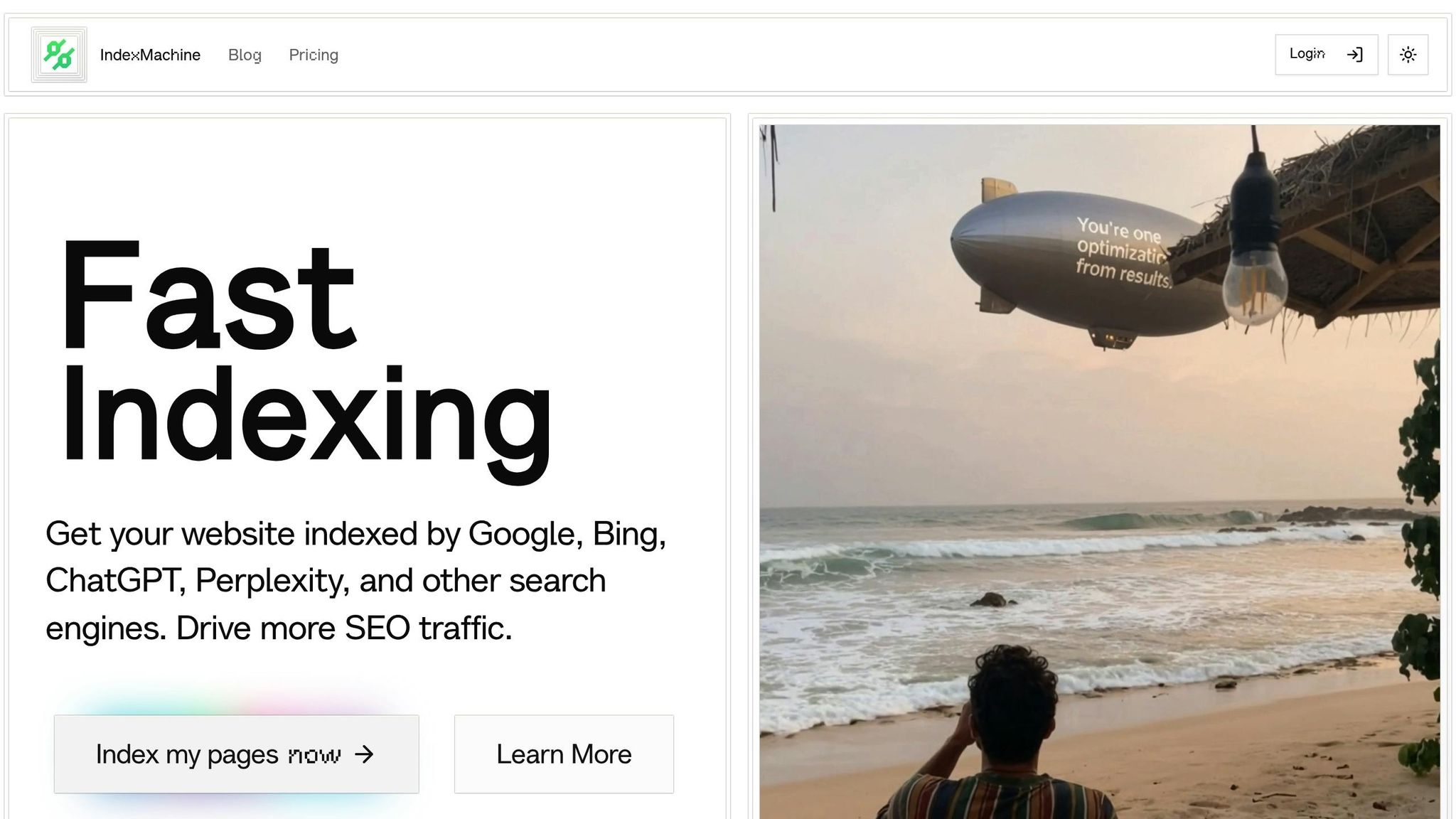
After handling manual crawlability and sitemap submission, automation takes your indexing efforts to the next level, making the process faster and more efficient.
Manually submitting URLs can quickly become unmanageable, especially if you're frequently updating or adding content. That's where IndexMachine comes in - it automates URL submissions through direct API integration, ensuring your pages are indexed almost immediately after they're published.
Automate URL Submissions with Ease
IndexMachine seamlessly integrates with Google Search Console and Bing Webmaster Tools, automatically submitting your URLs as soon as new content is published. It routinely checks your sitemap and sends real-time updates to search engines whenever changes occur. This means you can skip the traditional crawling queues, dramatically reducing the time it takes for your pages to appear in search results. Not only does this save you time, but it also ensures your content is consistently indexed across multiple platforms.
You can customize settings to toggle indexing for specific domains and choose which search engines to target. IndexMachine supports submissions to Google, Bing, and even LLMs like ChatGPT, giving your content wider exposure. Depending on your subscription plan, the system can handle up to 20 URL submissions per day for Google and up to 200 for other search engines.
Monitor Your Indexing Performance
Once the automation is set up, IndexMachine keeps you informed with visual charts that track your indexing progress over time. These charts provide detailed insights, such as the coverage status of your pages and the last crawl date for each URL. If any pages aren't getting indexed, you'll be able to identify and address the issue quickly.
In addition, the platform sends daily reports summarizing newly indexed pages and flags any detected 404 errors. These updates let you keep an eye on your site's indexing health without needing to manually check tools like Search Console, saving you even more time and effort.
Step 7: Review Index Coverage Reports
Once you've automated URL submissions using IndexMachine, it's time to dive into Google's Index Coverage report. This tool, found in Google Search Console, provides a detailed look at which pages on your site are indexed and flags any that aren't. Often referred to as the Page Indexing report, it builds on earlier indexing efforts by pinpointing technical issues that may still need attention.
The report organizes your URLs into four main categories: Valid (successfully indexed), Valid with warnings (indexed but with potential issues), Excluded (not indexed, either on purpose or by mistake), and Error (pages with critical problems preventing indexing). Each category highlights specific crawling issues, such as blocked URLs or duplicate content.
Focus first on the "Error" category. These pages often face problems like 404 errors, server issues, or unintended blocks in the robots.txt file. Areej AbuAli, Founder of Women in Tech SEO, stresses the importance of this feature:
The 'Submitted URL blocked by robots.txt' feature is immensely helpful to find out where we messed up (and gives us a chance to fix it quickly!). This is one of the first things to check after a site relaunch or migration has taken place.
Next, review the "Excluded" section to ensure no critical pages are unintentionally left out of indexing. Aleyda Solís, International SEO Consultant & Founder of Orainti, emphasizes its value:
The 'Excluded' section of the Coverage report has quickly become a key data source when doing SEO audits to identify and prioritize pages with technical and content configuration issues.
Some exclusions are intentional, like noindex tags on filter pages, but others - such as duplicate content - might need fixes like canonical tags.
Once you've addressed these issues, use the "Validate Fix" feature in Search Console to request a recrawl. The validation process can take anywhere from a few days to two weeks, and you'll receive updates as fixes are confirmed. For sites with frequent updates, weekly checks of this report are ideal. For more stable sites, a monthly review should suffice.
Step 8: Improve Your Internal Linking
Once you've tackled indexing optimizations, the next step is refining your internal linking strategy. Internal links play a dual role: they guide search engine crawlers through your site and highlight which pages hold the most importance. A well-thought-out internal linking structure not only helps crawlers discover content but also clarifies how pages relate to one another and which ones deserve more attention.
These links also distribute authority from high-traffic pages to newer or less-visited content. For instance, linking from your homepage or a popular article to a lesser-known page signals to search engines, "This page matters - rank it higher." Essentially, internal links help search engines map out your site's hierarchy and identify the central pages that should stand out.
Create a Clear Site Structure
A well-organized site structure is essential. Group your pages into logical categories and ensure key pages are close to the homepage. This reduces the number of clicks needed to reach them, speeding up indexing.
Conduct regular audits to identify and fix issues like orphan pages - those without any internal links pointing to them. Broken internal links should also be addressed immediately, as they waste valuable crawl budget and create frustrating dead ends for users and bots alike.
Use Descriptive Anchor Text
Anchor text serves as a guidepost for both users and search engines, offering context about the linked page. Instead of generic phrases like "click here", opt for specific, descriptive text such as "XML sitemap best practices" or "robots.txt configuration guide."
During audits, check your anchor text distribution to avoid overusing the same phrases, which can send mixed signals to search engines. If a page is overloaded with outbound links, pare them down to focus on the most relevant and high-quality ones.
Step 9: Enable Alerts and Daily Reports
Indexing issues can quietly chip away at your site's visibility until you notice a significant drop in traffic. To stay ahead of these problems and protect your rankings, it's crucial to set up alerts and review daily reports. This step builds on earlier indexing optimizations, focusing on proactive monitoring to catch and fix issues before they escalate.
Google Search Console is a must-have tool for identifying crawl errors, broken links, and blocked pages that might prevent your content from showing up in search results. Without alerts, you might only discover these problems after they've already hurt your rankings and user experience. Backlinko sums it up perfectly: "If Google can't fully access your page, it won't rank". By enabling instant alerts for crawl errors and 404 issues, you can address problems much faster than relying on periodic manual checks.
Enable 404 Alerts
Broken pages, or 404 errors, are like dead ends for your users and search engines. They waste your crawl budget and can leave visitors frustrated. Most 404 errors come from broken links, and while they don't directly lead to penalties, they can disrupt your internal linking and make your site look poorly maintained. As Gordon Donnelly from WordStream explains, "Broken links in inopportune places can fracture your internal linking structure. They can also cause frustration for users trying to navigate from one page to another".
With tools like IndexMachine, you can set up 404 alerts that notify you the moment a broken page is detected. This allows you to act quickly - either by restoring the content, setting up a 301 redirect to a relevant page, or removing the broken link altogether. Fixing these issues promptly not only prevents ranking declines but also maintains your site's authority. Make it a habit to address flagged URLs within 24 hours to keep your site running smoothly and your index healthy.
Check Daily Indexing Reports
Daily reports from tools like Google Search Console and IndexMachine give you a clear picture of your indexed, non-indexed, and crawl-impaired URLs. These insights help you catch potential problems early. Whether it's pages accidentally blocked by a robots.txt file or resources that search engines struggle to access, staying on top of these reports ensures you can fix issues while they're still minor.
Use Search Console, AIOSEO's Index Status report, and IndexMachine's dashboard to monitor crawl errors and indexing trends every day. This routine check-in strengthens your indexing strategy and ensures that your site remains accessible and optimized for search engines.
Step 10: Run Regular Indexing Audits
Keeping your site's indexing in good shape isn't a one-and-done task - it requires consistent effort. Regular indexing audits go hand in hand with daily monitoring to ensure your site stays aligned with search engine standards. Search engines are always evolving, so what worked last month might not cut it today. These audits help you spot problems early, before they grow into major issues that could tank your visibility. Without them, you risk falling into the staggering 96.55% of web pages that receive zero search traffic from Google - often because of overlooked technical SEO issues.
While daily alerts are great for catching immediate problems, regular audits dive deeper, uncovering issues that automated tools might skip. Monthly checks are particularly important for keeping up with search engine updates. For instance, as of January 2025, mobile devices accounted for 62.54% of global web traffic. Google now prioritizes the mobile version of your site for rankings. If you haven't done a recent audit, you could be missing mobile optimization problems that are quietly dragging down your rankings.
Perform Monthly Indexing Checks
Set aside time each month to review your site's indexing status using tools like Google Search Console. Check for crawl issues, ensure your robots.txt file isn't blocking critical resources, update your XML sitemap, and fix broken links using tools like Screaming Frog. Address any 404 errors with 301 redirects, and evaluate your site's speed and mobile-friendliness. Additionally, confirm that canonical tags are properly implemented to avoid duplicate content penalties. These quick but thorough checks - often taking just an hour - can save you weeks of lost visibility.
If manual audits start feeling like a time sink, it might be time to turn to automation.
Scale with IndexMachine Plans
As your site grows or you take on multiple domains, manual audits can become overwhelming. That's where IndexMachine comes in. Their plans are built to scale with your needs, whether you're managing a single domain or juggling a portfolio of projects:
- SaaS Builder: $12.50 lifetime, 1 domain (1,000 pages)
- 5 Projects: $50 lifetime, 5 domains (1,000 pages each)
- Solopreneur: $84.50 lifetime, 10 domains (10,000 pages each)
These plans automate tedious tasks like URL submissions, track indexing progress with easy-to-read visual charts, and send alerts for 404 errors. By automating these processes, you can shift your focus to strategic improvements instead of repetitive manual work. This ensures your growing site portfolio stays indexed and visible, keeping your search performance on track without constant hands-on management.
Conclusion
Getting your website indexed isn't just a one-and-done task - it's about creating a system where everything works together seamlessly. Crawlability, well-structured sitemaps, and precise metadata make sure your pages are easy to access and understand. Canonical tags help avoid duplicate content issues, and internal linking guides both users and search engine crawlers through your site. Add in regular audits and consistent monitoring, and you've got a solid framework to keep your site visible, even as search engines evolve.
But here's the catch: managing indexing manually can quickly become overwhelming. Google Search Console limits you to just 10 URL submissions per day, and about 9% of valuable content pages still fail to get indexed. That's where IndexMachine comes in. It automates URL submissions to Google and Bing, tracks indexing progress with visual charts, and even alerts you to 404 errors before they impact your rankings. Whether you're running a single domain with the SaaS Builder plan for $12.50 lifetime or managing up to 10 domains with the Solopreneur plan for $84.50 lifetime, automation simplifies the process, saving you from the hassle of manual submissions. It's a faster, smarter way to ensure your pages are discovered.
FAQs
How can I make sure search engines can crawl my website?
To make sure your website is easy for search engines to crawl, start with a well-organized and logical site structure. Keep URLs short and descriptive so they're simple for both users and search engines to follow. Don't forget to submit an XML sitemap using Google Search Console - this helps search engines find and prioritize your key pages. Also, review your robots.txt file to confirm you're not unintentionally blocking access to important content.
It's a good idea to regularly check for crawl errors using tools like Google Search Console. Address any issues as soon as possible to keep your site running smoothly and improve its visibility in search results.
How do canonical tags improve SEO?
Canonical tags play a key role in handling duplicate content on your website. They signal to search engines which version of a page should take priority, ensuring the chosen page gets the visibility it deserves in search results.
These tags also help consolidate link equity, directing backlinks and authority to the correct page, which can enhance its ranking potential. On top of that, they improve crawl efficiency by pointing search engines toward your most important content, preserving crawl budget and boosting your site's overall SEO performance.
How does using automation make the indexing process more efficient?
Automation takes the hassle out of indexing by efficiently managing tasks like crawling and updating website content. It works faster and more precisely than manual methods, saving you both time and effort while keeping your site visible.
Beyond speed, automation quickly spots and resolves issues, ensuring your site remains in good shape for search engines. By letting automation handle repetitive chores, you free up time to focus on crafting high-quality content and enhancing user experience - both of which can give your search rankings a solid boost.